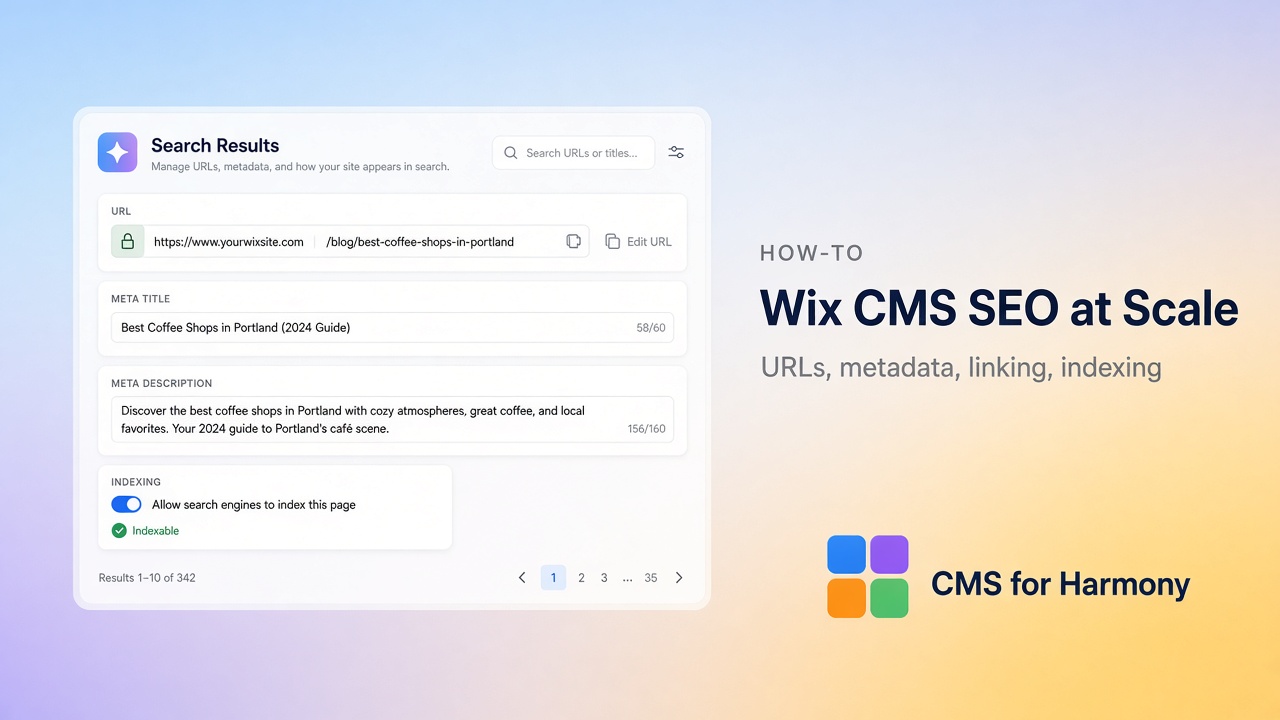
Yes—you can create search-optimized CMS pages at scale on Wix Harmony. Wix recommends editable URL structures and per-page SEO for dynamic/item pages. With CMS for Harmony, you create a native Wix dynamic page, place the Dynamic Page widget on it as a shared template, and map per-item SEO from collection fields (title, description, share image). The app does not bind native Text/Image/Button elements—item pages are powered by the Dynamic Page widget.
What “at scale” means here
| SEO surface | How CMS for Harmony helps |
|---|---|
| Unique URLs per item | Native Wix collection page + Dynamic Page widget |
| Per-URL title / description / share image | Per-item SEO field mapping on Dynamic Page |
| Discovery | Link lists (Repeater, Table, etc.) to item pages |
| Content quality | Structured fields you can keep consistent across dozens of items |
| Plan | Core SEO mapping is available without Pro; Pro adds payments/Sheets elsewhere |
URL structure
- In the collection, choose More actions → Add collection page so each item gets a URL (for example
/fruits/apple). - On that native page, add the Dynamic Page widget and set Page path to the page path and Page link field to Item slug.
- Prefer stable, readable slugs—avoid changing live URLs often.
- Keep one template per collection page. A second collection gets its own Add collection page.
Wix’s model for dynamic pages is templates that produce individual URLs from collection items—treat your slug + title field as the public URL contract.
Per-item metadata (title, description, share image)
- Add collection fields for SEO title, description, and optional share image (or reuse Name / Summary / Photo).
- Connect the Dynamic Page widget and map per-item SEO to those fields.
- Fill SEO fields on each item in the CMS—do not leave every item on the same generic site title.
- Publish and verify with view-source or a social debugger on two different item URLs.
Docs: Dynamic Page · Dynamic pages.
Internal linking
Crawlers and visitors need paths into item URLs:
- Turn on Link to item page on Repeater, Table, Slideshow, Media Gallery, or Calendar (same collection and Page path).
- Link from static hub pages (Services, Team, Catalog) into the filtered list that leads to item pages.
- Avoid orphan item URLs that never appear in a list.
Duplicate content and thin pages
- Give each item unique body fields (summary, details)—not only a title.
- Do not publish empty templates; hide unfinished items with permissions or filters until ready.
- If two collections describe the same entity, pick one canonical item URL and link to it.
- Native Harmony item pages and CMS for Harmony Dynamic Pages are different templates—do not run both for the same item without a clear reason.
Indexing and technical checks
- Confirm item URLs return 200 on the live site after publish.
- Check that title and meta description differ per item.
- Ensure the sitemap / Wix SEO tools can see main pages; after release, unlock article SEO rows in Wix SEO Settings if Wix injects a second title.
- Use search/filter lists for UX, but still expose crawlable links to individual items.
Content quality at scale
Structured collections beat thirty hard-coded pages when:
- Fields (Name, Summary, Image, Category) stay consistent
- Editors update CMS rows instead of hunting page sections
- The same item can appear in a list and on its own SEO URL
Related: CMS vs static content · Migrate static pages to a CMS.
Limitations
- Dynamic Page is an app widget template—not native Text/Image/Button binding.
- Each collection uses its own native dynamic page. The app no longer adds an
/itemSite Page. - Visitor search/filters live on list widgets, not on the Dynamic Page itself.
- Google Sheets connections do not support Dynamic Pages—use Wix CMS collections for SEO item pages.
FAQ
Does Wix Harmony support SEO for CMS item pages?
Yes. Create a native Wix dynamic page, map per-item title, description, and share image on the CMS for Harmony Dynamic Page, and use Item slug for unique URLs.
Can I set a different title for every item?
Yes—store titles in a collection field and map per-item SEO title to that field.
Do I need Pro for item-page SEO?
No. Per-item SEO mapping on a native dynamic page is part of the Dynamic Page workflow. Pro is for catalog payments and external databases.
How do list pages help SEO?
Searchable Repeaters and Tables help users find items; Link to item page helps crawlers and visitors reach the unique URL that carries the SEO tags.