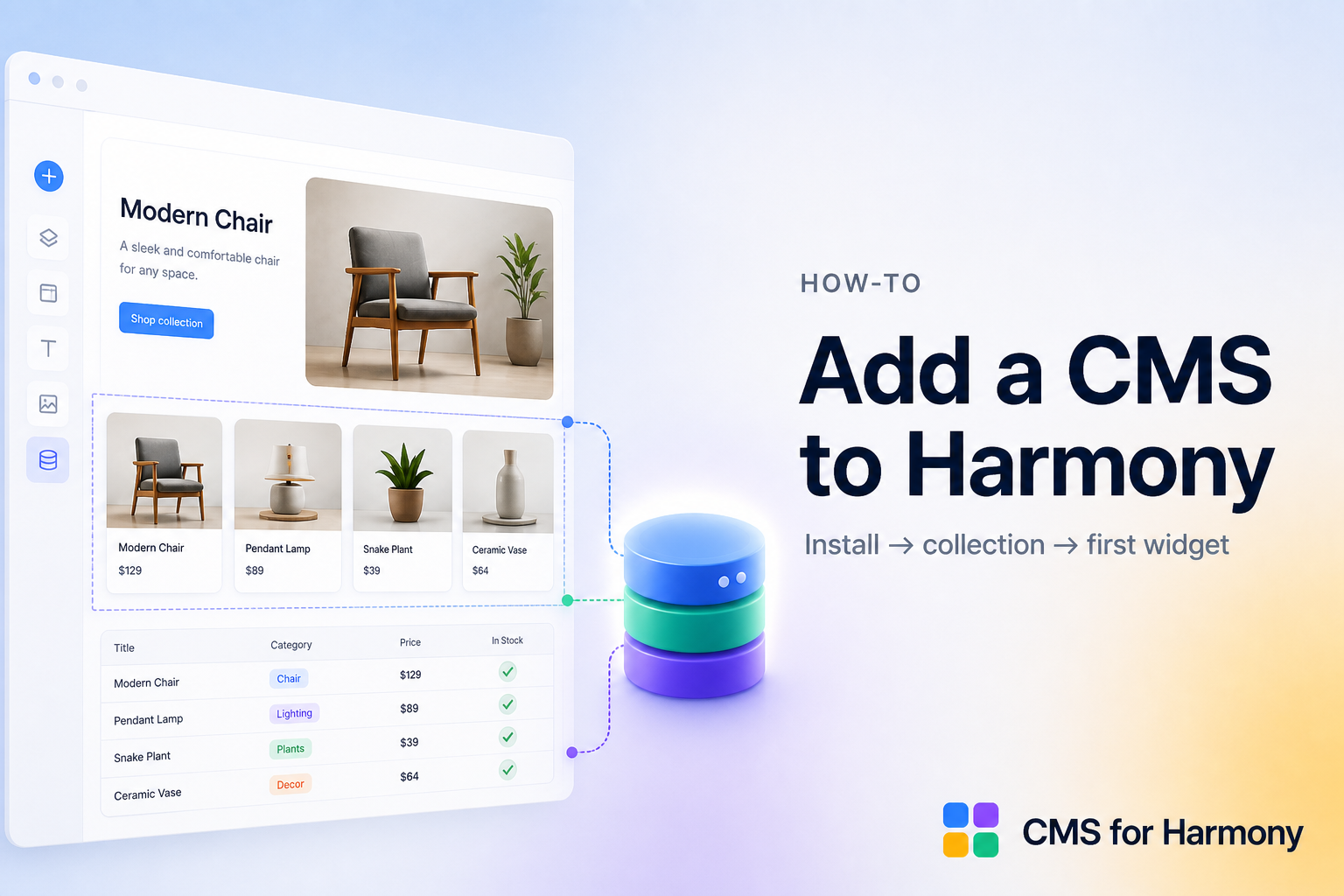
Yes—you can use a CMS in Wix Harmony. Install CMS for Harmony from the App Market to connect collections to app widgets—Table, Repeater, Slideshow, Media Gallery, Calendar, Dynamic Page, and Form. Use them for visitor search and filters, tables, calendars, collection-backed forms, Pro catalog checkout, and Google Sheets as a live source. The app adds widgets only—it does not bind native Harmony Text, Image, or Button elements to CMS fields. “Cards” means the Repeater layout, not a separate widget.
What you get
| Widget | Common use |
|---|---|
| Repeater | Card grids from a collection |
| Table | Sortable rows with search & filters |
| Slideshow / Media Gallery | Image-led display layouts |
| Calendar | Date-based event views |
| Dynamic Page | Per-item detail URLs |
| Form | Submissions that save to a collection |
Works on Classic, Studio, and Harmony. Start with Getting started.
Step 1 — Install CMS for Harmony
- Open your site in the Wix Editor (Harmony, Studio, or Classic).
- Install CMS for Harmony from the App Market.
- Open the CMS for Harmony dashboard to manage collections. Item pages are native Wix dynamic pages.
Step 2 — Create a collection
- In the dashboard, create a collection (Team, Products, Events, Listings).
- Add fields: text, rich text, image, date, media gallery, color, address, and so on as needed.
- Add a few items so displays have data.
- Optionally add a native dynamic page so each item gets its own URL (Dynamic pages).
- Optionally Enable payments (Pro) — map Name and Price (and optional Description, Image, Quantity) for catalog checkout (Catalog payments).
Step 3 — Add your first display widget
On a page:
- Add Repeater (card grid) or Table.
- Connect the collection (or, on Pro, an External Database Google Sheets connection on supported widgets).
- Map fields and publish.
Other widgets: Slideshow, Media Gallery, Calendar, Dynamic Page, Form.
Step 4 — Item URLs (optional)
- In the collection, choose More actions → Add collection page.
- Add the Dynamic Page widget to that page, set Page path to the page path, and set Page link field to Item slug.
- Map SEO fields if you want per-item search/social previews.
- Link list widgets with the same Page path and Item slug.
Walkthrough: How to set up Dynamic Pages.
Step 5 — Search and filters (optional)
On Table, Repeater, Calendar, Media Gallery, or Slideshow:
- Enable search and/or filters in the panel.
- Add match conditions; use Show filter or Choose value.
- For Color fields, use Color swatches; set Filters display to Top or Side.
Guide: How to Add Search and Filters to Wix Harmony · Docs: Search & filters.
Step 6 — Forms that save to CMS (optional)
- Add Form, connect a collection, pick fields and labels.
- Publish and test a submission.
- On Pro, optionally Enable payments for pay-on-submit (fixed or visitor-entered amount via Wix Checkout)—separate from catalog Add to cart / Buy now.
Docs: Form.
Step 7 — Sell CMS items (Pro, optional)
- Enable payments on the collection (Name + Price required).
- On Repeater, Table, Dynamic Page, Media Gallery, or Slideshow → Payments → Show payment actions → Add to cart and/or Buy now.
- Test on the live site (not Editor preview).
Guide: How to Sell CMS Items Through Wix Checkout.
Step 8 — Google Sheets (Pro, optional)
- Dashboard → External databases → connect Google Sheets.
- On Table, Repeater, Slideshow, Media Gallery, or Calendar → Data source → External Database.
- Remember: Form, Dynamic Page, and catalog payments stay on Wix CMS collections—not sheets.
Guide: How to Connect Google Sheets to Wix Harmony.
Plan requirements
| Feature | Requirement |
|---|---|
| Core widgets | Free plan available |
| Catalog payments / Form pay-on-submit / Google Sheets | Pro |
| Payment CTAs | Live site only |
Exact limitations
- App widgets only — no Text/Image/Button CMS binding.
- Sheets ≠ Form / Dynamic Page / catalog payments.
- Calendar has no catalog payment CTAs.
- Dynamic Page does not include visitor search/filters.
FAQ
Does Wix Harmony have a CMS?
Yes. Install CMS for Harmony from the App Market to add collection-backed widgets (Repeater, Table, Form, and more) on Harmony, Classic, and Studio.
How do I add a CMS to Wix Harmony?
Install CMS for Harmony, create a collection in the dashboard, then connect app widgets on your pages (or Pro Google Sheets on supported displays).
Is there a free CMS for Wix Harmony?
CMS for Harmony offers a free tier for core widgets; Pro unlocks payments and external databases.
Can CMS for Harmony bind to native Harmony elements?
No. Use the app’s widgets (Repeater, Table, Form, and so on)—they connect to collections without binding native Text, Image, or Button.
Does this work on Wix Studio and Classic?
Yes—CMS for Harmony widgets work on Classic, Studio, and Harmony.